Delivering with Spouts
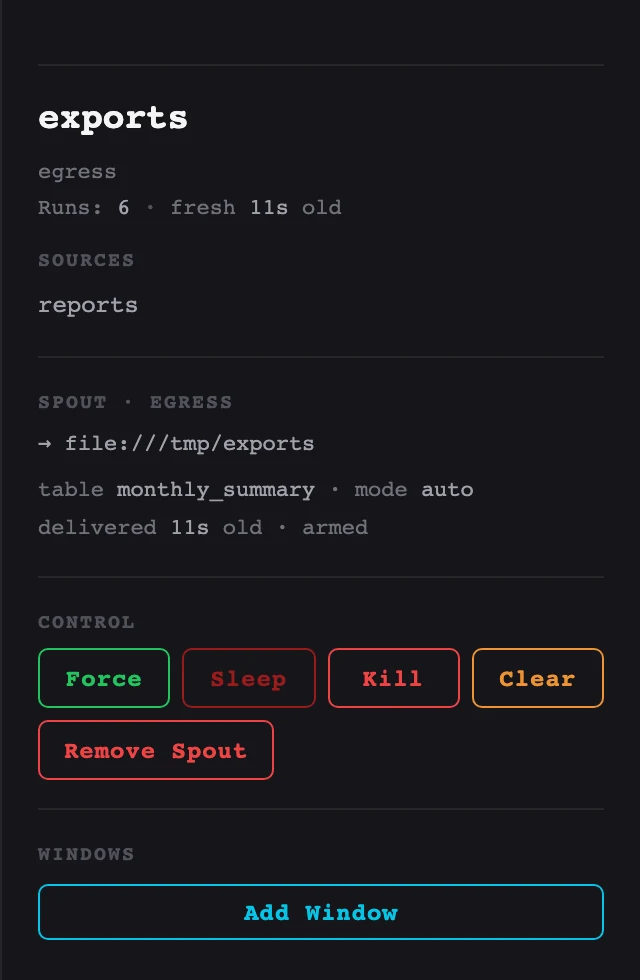
Some consumers can't query a Catchment: an application reading its own Postgres database, a partner collecting files from a bucket. A Spout delivers a Pond's tables to a destination like these whenever the Pond publishes new output. This guide sets up the common destinations. See duckstring spout for every option.
Delivering files
Write a Pond's tables as Parquet files into a directory:
duckstring spout add reports --to file:///srv/exports/reports
Each table is written to {directory}/{table}.parquet and replaced whenever reports publishes. Deliver one table rather than all of them with --table monthly_summary.
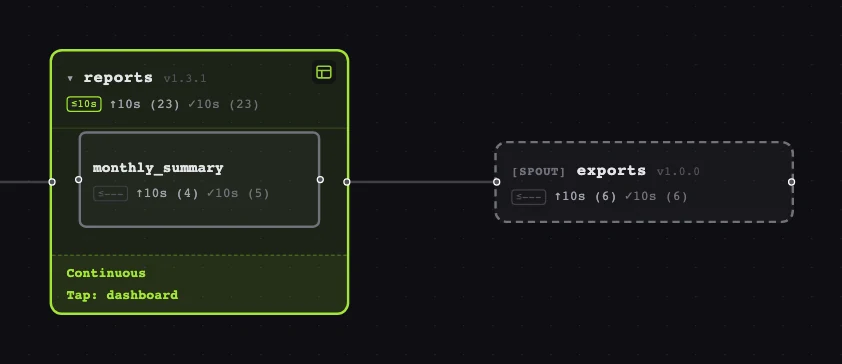
To object storage
The same works for S3 and Google Cloud Storage:
duckstring spout add reports --table monthly_summary --to 's3://partner-drop/duckstring?region=eu-west-2'
For S3, the Catchment's AWS credentials are used by default. To use other keys, keep them in the secret store and reference them in the URI:
duckstring secret set PARTNER_KEY_ID
duckstring secret set PARTNER_SECRET
duckstring spout add reports --to 's3://partner-drop/duckstring?region=eu-west-2&key_id=${secret:PARTNER_KEY_ID}&secret=${secret:PARTNER_SECRET}'
Quote the URI in single quotes so the shell leaves ${...} alone. References are resolved only when delivering; the Spout stores the reference, and neither spout ls nor the UI ever shows a value. ${env:NAME} reads an environment variable on the Catchment instead. Google Cloud Storage (gs://) and Azure (az://, abfss://) take their own credential parameters, and S3-compatible stores take endpoint=; see Destination URIs.
By default each delivery rewrites the whole table. For a large append Trickle, --mode append copies only each run's new files, keeping Duckstring's file layout in the destination, which suits a consumer reading with DuckDB or another Parquet reader.
Delivering to Postgres
A Postgres Spout keeps tables in a Postgres database in sync, such as an application's own database:
duckstring secret set APP_DB_PASSWORD
duckstring spout add priced --table priced_line \
  --to 'postgres://loader:${secret:APP_DB_PASSWORD}@db.internal:5432/app?schema=analytics'
If the connection string is already in an environment variable on the Catchment, as many platforms provide it, use the variable as the whole destination:
duckstring spout add priced --table priced_line --to '${env:DATABASE_URL}'
A destination held entirely in a variable or secret is checked when it's first used, by the first delivery or the UI's Test button, rather than when the Spout is added.
Duckstring creates analytics.priced_line on first delivery, from the table's columns. What each later delivery does depends on the table:
| Table | Each delivery |
|---|---|
| Merge Trickle | Deletes the changed and removed keys and inserts their new rows. The Postgres table has the Trickle's primary key. |
| Append Trickle | Inserts the new rows. |
| Plain table | Replaces the whole table when its Pond publishes a new version of it. |
A delivery is a single transaction, so readers of the database see the old rows or the new ones, never a mix. Delivery is exactly-once. The last delivered freshness is stored in a _duckstring_egress table in the same schema, updated in the same transaction as the data, so a delivery interrupted by a crash is rolled back and redone without duplicating anything.
Delivering to Records
records: delivers into the Catchment's own Records, the PostgreSQL its Apps keep their tables in, so an App can look up a Pond's output with its PostgreSQL driver:
duckstring spout add reports --table monthly_summary --to records:
The table lands in a schema named after the Pond's line, here reports_v1.monthly_summary, which every App can read and none can write. Delivery works as for Postgres above. The Pond's name must be lower-case letters, digits and underscores, starting with a letter or underscore. While Records are being moved, deliveries wait and then continue.
Delivering to a DuckLake
A DuckLake keeps its tables as Parquet files with their metadata in a SQL database, so DuckDB, Spark and Trino can all read them. A DuckLake Spout delivers a Pond's tables into one:
duckstring spout add reports \
  --to 'ducklake:sqlite:/srv/lake/meta.sqlite?data_path=s3://lakehouse/files/&schema=reports'
The destination is the string DuckDB's ATTACH takes for the lake, followed by Duckstring's options: data_path says where a new lake keeps its files (an existing lake already knows), and schema defaults to main. Files in S3 or Google Cloud Storage take the same credential parameters as an object-store Spout. For a lake catalogued in Postgres, keep the password in the secret store:
duckstring secret set LAKE_PG
duckstring spout add reports \
  --to 'ducklake:postgres:dbname=lake host=pg.internal user=loader password=${secret:LAKE_PG}?data_path=s3://lakehouse/files/'
Any table can go to a lake, delivered as for Postgres. When a Spout delivers several tables, a run's tables go in one transaction, so readers of the lake see one snapshot per delivery, with duckstring as its author and the Pond (reports@1) as its commit message. Delivery is exactly-once, through a _duckstring_egress table in the same schema.
Duckstring doesn't compact the lake or expire its snapshots, since those are decisions for whoever owns it (DuckLake's ducklake_merge_adjacent_files and ducklake_expire_snapshots do both). It never migrates the lake's catalog either. A lake the Spout creates under DuckDB 2.0 uses DuckLake 1.1, which readers on DuckDB 1.5 can't open.
Delivering to Databricks
A Databricks Spout keeps Unity Catalog tables up to date with a Pond's output, where a team's notebooks, dashboards and permissions in Databricks can use them:
duckstring spout add priced --table priced_line \
  --to 'databricks:///main.sales?warehouse=1a2b3c4d5e6f7a8b&volume=/Volumes/main/sales/staging'
The path is the catalog and schema the tables go in. The workspace is the Catchment's DATABRICKS_HOST, which a Databricks App sets, unless the destination names a host, as in databricks://adb-1234567890123456.7.azuredatabricks.net/main.sales?.... warehouse is the SQL warehouse that applies each delivery. volume is a Unity Catalog Volume each delivery is staged in, and removed from once applied, so no external location or storage credential is needed.
The Spout signs in with the Catchment's DATABRICKS_TOKEN, or DATABRICKS_CLIENT_ID and DATABRICKS_CLIENT_SECRET, which a Databricks App sets for its own service principal. On Azure Databricks without those, it uses the Catchment's Microsoft Entra identity. To sign in as someone else, keep their credentials in the secret store and reference them in the destination:
duckstring spout add priced --table priced_line \
  --to 'databricks:///main.sales?warehouse=1a2b3c4d5e6f7a8b&volume=/Volumes/main/sales/staging&client_id=${secret:DBX_CLIENT_ID}&client_secret=${secret:DBX_CLIENT_SECRET}'
The identity needs:
USE CATALOG,USE SCHEMA,CREATE TABLE,MODIFYandSELECTon the target schema;READ VOLUMEandWRITE VOLUMEon the staging Volume;- Can use on the warehouse.
Any table can be delivered. Each table is created on its first delivery, with types as the warehouse reads the staged Parquet, and a column the source gains is added to it.
| Table | Each delivery |
|---|---|
| Merge Trickle | One MERGE by its primary key, replacing changed rows and deleting removed ones. |
| Append Trickle | The new rows are inserted. |
| Plain table | The table is replaced whole, when its Pond publishes a new version of it. |
Progress is recorded in a _duckstring_egress table in the schema. A Databricks statement commits one table at a time, so the progress is written after the data, and a crash between the two repeats the delivery. Each kind of delivery is safe to repeat. For an append table, this is what the extra _duckstring_f column in the Databricks table is for: it holds the freshness of the delivery that inserted each row, as UTC ISO text, and a repeated delivery replaces the rows inserted after the recorded progress instead of adding them again. Rows written by a delivery of the whole table, such as the first, have it empty.
Every delivery runs statements on the warehouse: one per changed table, and two for the progress of all of them, even when nothing changed. The tables of a delivery are applied in parallel. A serverless warehouse stops itself once it has been idle for its auto-stop time, so a Spout delivering more often than that keeps it running. To spend less warehouse time, give the Spout a window so it delivers less often, or land change files (below) and apply them on your own schedule.
Change files
The Spouts above apply each delivery to the destination themselves. When the consumer would rather apply changes itself, on its own schedule and with its own compute, such as a Databricks job that already runs hourly, a Spout can write each delivery's changes as Parquet files instead:
duckstring spout add priced --table priced_line --mode changes --to /Volumes/main/sales/landing/priced
--mode changes works with a local directory (file://), a /Volumes/... path or object storage. Each delivery writes, for every table that changed, a file of its changes since the previous delivery, then a manifest listing the files. For a table with a primary key, the file has one row per changed key, with _duckstring_op set to 1 for an insert or update (the row is the key's new row) or -1 for a delete. A table without one gets its changes as weighted rows, with _duckstring_d set to 1 for a row added and -1 for a row removed. Every row also has _duckstring_f, the delivery's freshness. The first delivery, a spout resync, and a delivery after the Spout fell behind the Pond's retained history land the whole table instead, and a plain table lands whole every time. Change files has the layout.
The manifest is the commit. A file appears in the destination before its upload has finished (on a Volume it reads as empty until then), so read the manifests rather than listing the folders. For the same reason, Databricks Auto Loader can't watch the destination. Delivery is exactly-once: a delivery that stopped before its manifest was written is written again under the same names, and no two manifests name the same changes. The Spout keeps its progress in _duckstring/latest.json, which must stay in place.
Writing change files uses no warehouse.
Applying them in Databricks
duckstring.landing.deliveries lists the deliveries after a position, oldest first, each as its manifest. Each delivery's position is in its manifest's delivery field. This job applies the deliveries of priced_line to a Unity Catalog table, replacing the table on a whole-table delivery and running one MERGE per delivery of changes. Run it on Databricks compute, where Volumes are mounted, with duckstring installed:
from duckstring import landing

PATH = "/Volumes/main/sales/landing/priced"
TARGET = "main.sales.priced_line"
KEY = "order_id"
COLUMNS = ["order_id", "product_id", "quantity", "unit_price", "revenue"]


def source(files):
    return " UNION ALL ".join(
        f"SELECT * FROM read_files('{PATH}/{f}', format => 'parquet', schemaEvolutionMode => 'none')"
        for f in files
    )


def apply(after):
    cols = ", ".join(COLUMNS)
    sets = ", ".join(f"{c} = s.{c}" for c in COLUMNS)
    values = ", ".join(f"s.{c}" for c in COLUMNS)
    for delivery in landing.deliveries(PATH, after=after):
        table = delivery["tables"].get("priced_line")
        if table and table["kind"] == "full":
            spark.sql(f"CREATE OR REPLACE TABLE {TARGET} AS SELECT {cols} FROM ({source(table['files'])})")
        elif table:
            spark.sql(f"""
                MERGE INTO {TARGET} AS t
                USING ({source(table['files'])}) AS s
                ON t.{KEY} <=> s.{KEY}
                WHEN MATCHED AND s._duckstring_op = -1 THEN DELETE
                WHEN MATCHED THEN UPDATE SET {sets}
                WHEN NOT MATCHED AND s._duckstring_op = 1 THEN INSERT ({cols}) VALUES ({values})
            """)
        after = delivery["delivery"]
    return after
apply returns the position of the last delivery it applied. Store it, for example in a small table of your own, and pass it back on the next run (None the first time). For a table with a key, applying deliveries again in order ends in the same state, so a job that fails part way can start again from the last position it stored. schemaEvolutionMode => 'none' stops read_files adding a _rescued_data column, and <=> matches a NULL key.
To apply several deliveries in one statement, union their files and keep each key's newest row with QUALIFY row_number() OVER (PARTITION BY order_id ORDER BY _duckstring_f DESC) = 1, starting from the newest whole-table delivery if there is one. For a table without a key, such as an append Trickle, insert the rows with _duckstring_d above 0, and store the position each time, since inserting a delivery twice duplicates its rows.
Reading them with DuckDB
landing.changes reads one table's deliveries after a position and combines them into a single DuckDB relation: each key's newest row, or the weights summed per row for a table without a key. The reference has an example that applies them to a copy of the table.
Duckstring doesn't remove delivered files. Once you've applied a delivery you can delete its files and manifest, keeping the newest manifest and _duckstring/latest.json, which the Spout reads to know what it has delivered.
Checking a destination
The UI's Spout form, in a Pond's Options, has a Test button, which checks the destination can be reached and the credentials work without writing any data:
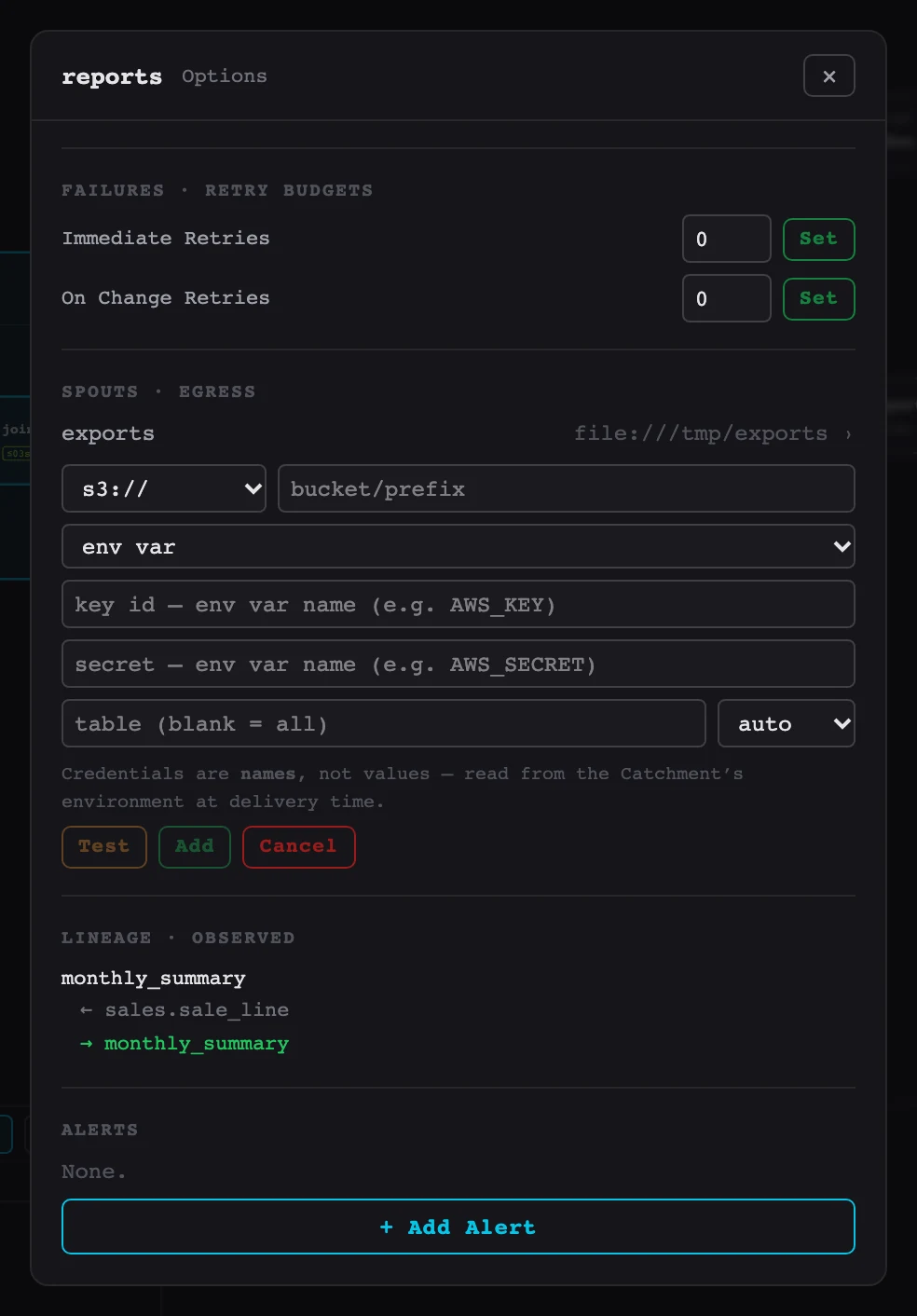
From the CLI, add the Spout and watch its first delivery:
duckstring spout ls reports
ls shows each Spout's destination, mode, last delivered freshness and state. A failed delivery shows its error there, in run history, and to any alert channel subscribed to spout. A Spout failure never affects its Pond.
A failed delivery is retried the next time the Pond publishes, up to three times, since delivery failures are often temporary: a database restarting, a network blip. If the retries are used up, the Spout stays failed until you fix the cause and reset it with spout clear, spout wake or spout force. Change the number of retries per Spout, addressing it as {pond}#{spout}:
duckstring control failure-budget 'priced#priced_line' --on-change 10
Controlling when deliveries happen
A Spout never asks its Pond to run. It delivers whatever the Pond publishes, so the Pond's own Refresh decides how fresh the delivered data is.
To deliver less often than the Pond publishes, give the Spout a window. A Spout is addressed as {pond}#{spout}, and its name defaults to the table's:
# Deliver monthly_summary at most once a day, between 07:00 and 08:00 UTC
duckstring window add 'reports#monthly_summary' --name morning --every 1d --start 07:00 --duration 1h
This suits a destination that should change only at a fixed time, while the Pond itself stays fresh for other consumers.
Pause and resume a Spout without removing it:
duckstring spout sleep reports monthly_summary     # stop delivering
duckstring spout wake reports monthly_summary      # resume from the next publish
duckstring spout force reports monthly_summary     # resume and deliver the current output now
duckstring spout resync reports monthly_summary    # deliver everything again in full
Use resync after the destination was changed by hand or restored from a backup.